
Update SQL Tables after Data Refresh
If you need to update your SQL Tables after a data refresh, follow the simple steps below:
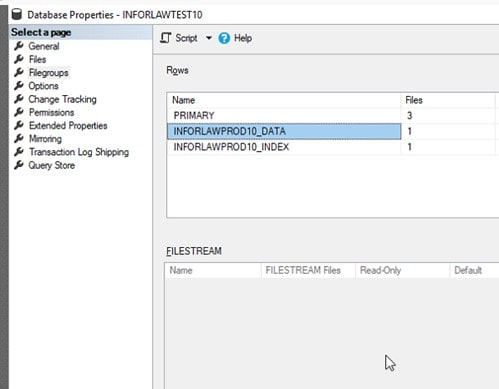
First, open up the properties for the DB that was just refreshed and you can see that the DB tables have the PROD name instead of TEST.
Next, run the following SQL query for the TEST DB:
ALTER DATABASE INFORLAWTEST10 MODIFY FILEGROUP INFORLAWPROD10_DATA NAME = INFORLAWTEST10_DATA
ALTER DATABASE INFORLAWTEST10 MODIFY FILEGROUP INFORLAWPROD10_INDEX NAME = INFORLAWTEST10_INDEX
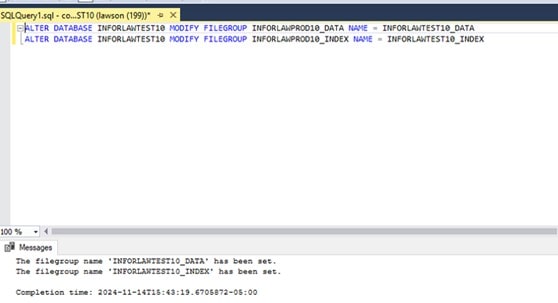
Your SQL tables should now be updated after doing a data refresh. Continue to repeat these steps whenever you do refreshes.

