
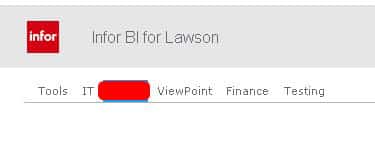
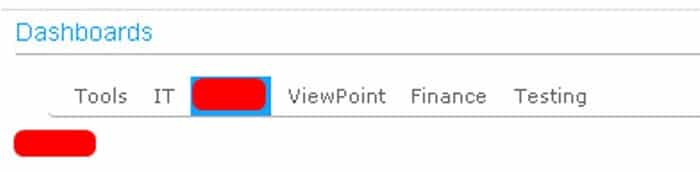
How to remove the Infor Logo from your Lawson Business Intelligence dashboard
- Login into LBI
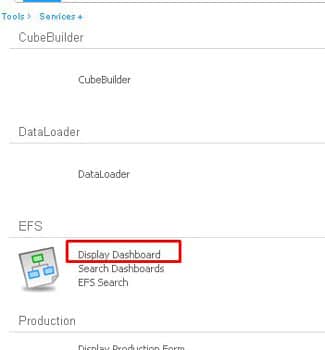
- Click ‘Display Dashboard’ link under Tools -> Services -> FS Service module.
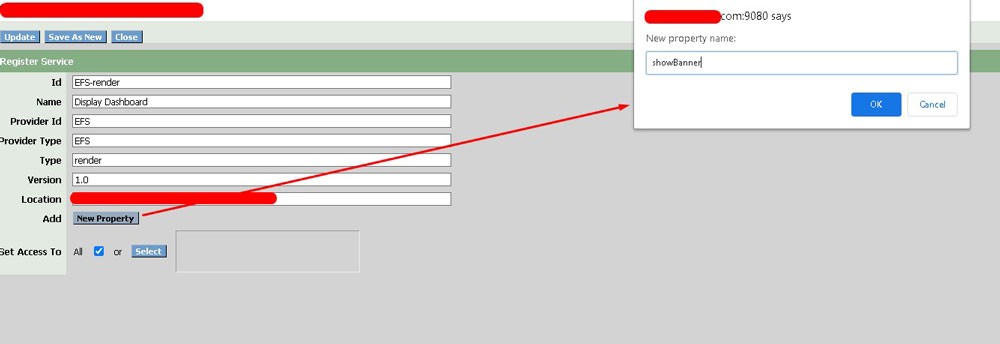
- Click New Property Button and type ‘showBanner’ then click ok.
- Important: type showBanner exactly as shown (case sensitive)

- Important: type showBanner exactly as shown (case sensitive)
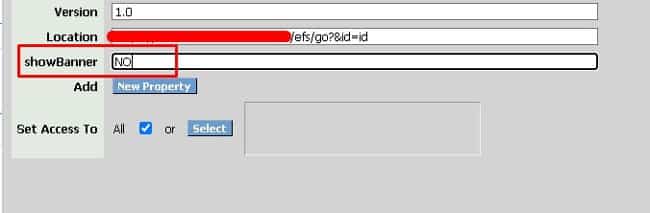
- Type NO to hide the banner (if showBanner property is not present, default is YES)

- Click Update at the top and refresh the page to see changes.
Before:
After:
If you found this article helpful, Nogalis offers managed services and technical resources to assist with customizing and maintaining your Lawson Business Intelligence dashboard. Whether it’s tasks like removing logos or other system configurations, our team provides the support you need. Contact us to learn more about our managed service offerings and how we can assist with your Lawson system needs.

