

Which version of IPD should I run with my Landmark?
If you are wondering what version of Infor Process Designer (IPD) you should run with Landmark, follow this simple guide.
Your IPD install should be the same version as your Landmark version.
You can find your version of IPD to check if it is running the same version as Landmark.
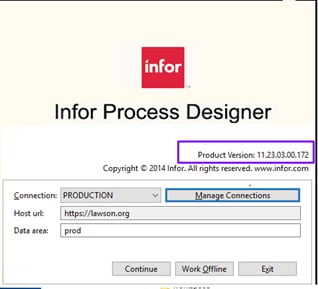
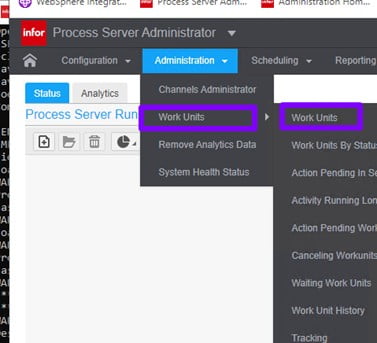
To find your Landmark version go to Process Server Administrator
Administration>Work Units>Work Units
Open a work unit that has completed and go to the Information tab and look at the landmark version noted:
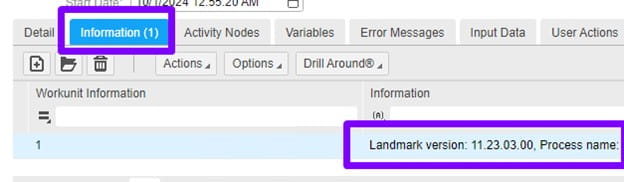
Other releases of IPD are not compatible if not the same version of Landmark.
Retiring Lawson, PeopleSoft, or Oracle? APIX archives the entire application — every table, every year, attachments and security included — into your own AWS account in about 30 days, so you can decommission the legacy system and keep full access to the history.


Leave a Reply
Want to join the discussion?Feel free to contribute!