
Adding or Replacing Existing SSL CERTS Lawson (WINDOWS)
This is a PFX cert.
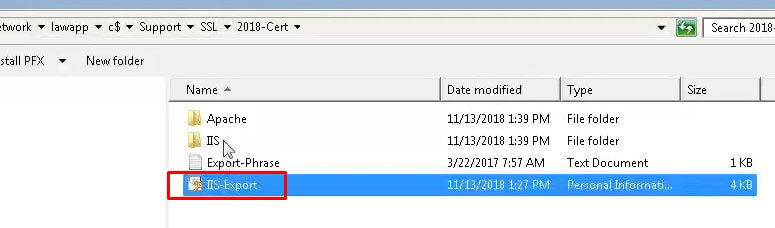
Start – This is being done on a Lawson LSF server.
- Drag the folder with the Cert onto the server you want to apply it to.
- Once you do that, make sure you check whether or not the server is running IIS. Typically by searching for IIS Manager or checking services.
- Double click the cert file that you dragged onto the server.
- Select Local machine:
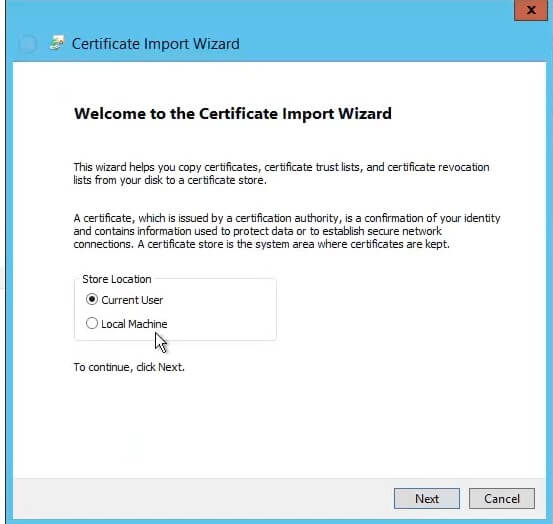
- Specify the file you want to import (should default on the cert you just clicked to run) >> Next
- Enter the password for the cert and click next.

- Open command prompt as admin and type: start certlm.msc
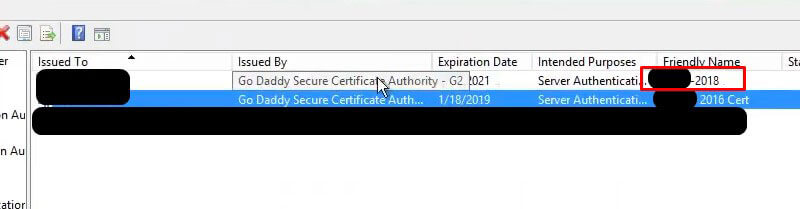
- Under Personal >> Certificates, you should see the new cert you imported: The old one is below the one highlighted in red.

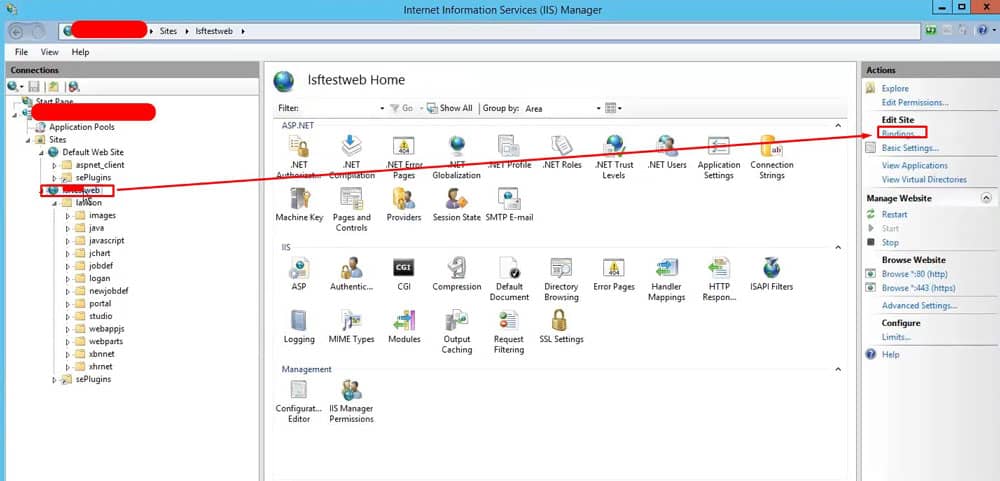
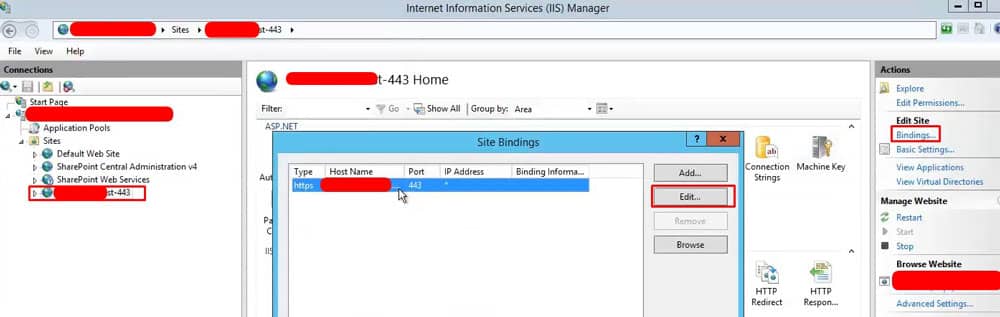
- Now go to IIS Manager, Sites >> select WebsiteName and then on right pane select bindings as shown below

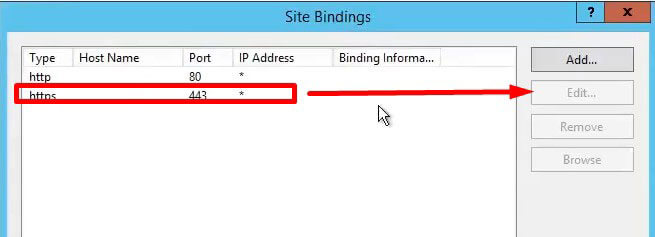
- Select https binding and edit

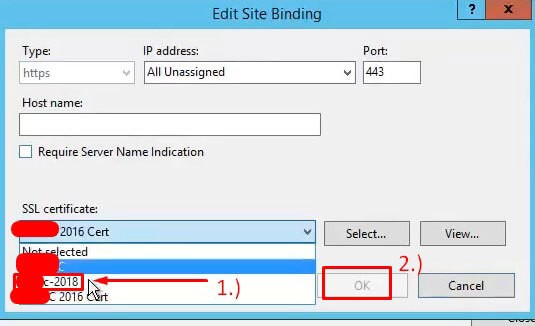
- Select new cert and click ok

- Back in command prompt type: iisreset /restart
- Test and you’re done
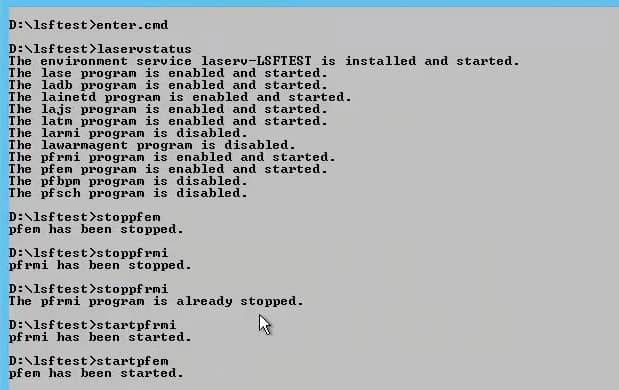
When applying to Landmark server, we need to run the following commands below (Important to stop and start exactly as shown):
For Mingle in ISS Manager, we need to select the Sharepoint secure site and select bindings.
Retiring Lawson, PeopleSoft, or Oracle? APIX archives the entire application — every table, every year, attachments and security included — into your own AWS account in about 30 days, so you can decommission the legacy system and keep full access to the history.

