
IP Designer Series – User Action Node – Action Subject
One of the properties options for a User Action node is “Action Reason”. You can require that the approver enter a subject, reason code, and comment. Before you set up the User Action Node, you will want to create your Action Subject in Rich Client. It is important to note that the user creating Action Subjects must have a role with the GlobalUIConfigAccess_ST security class.
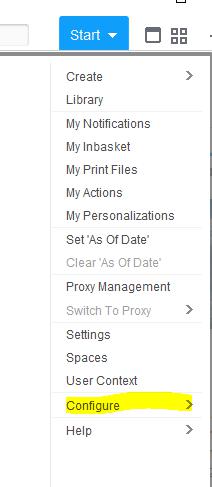
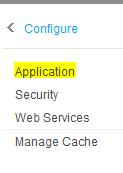
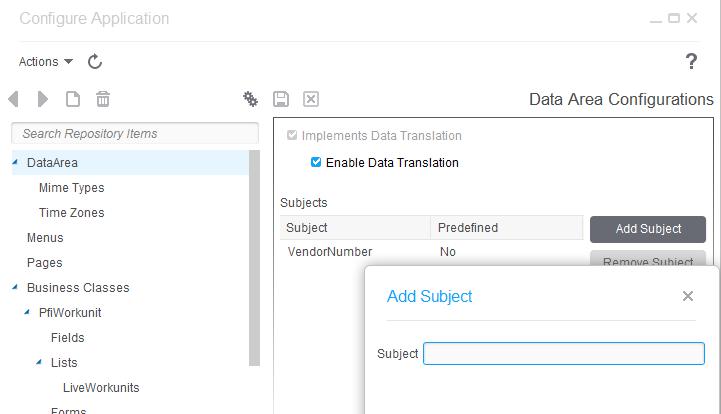
Once you have the proper security, log into Rich Client and switch to the data area for which you are creating the subject. Go to Start > Configure > Application. Select “DataArea”.
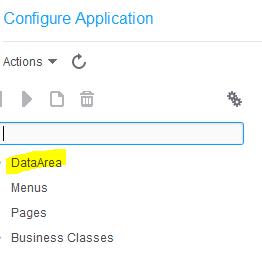
Click “Add Subject” and give your subject a name.
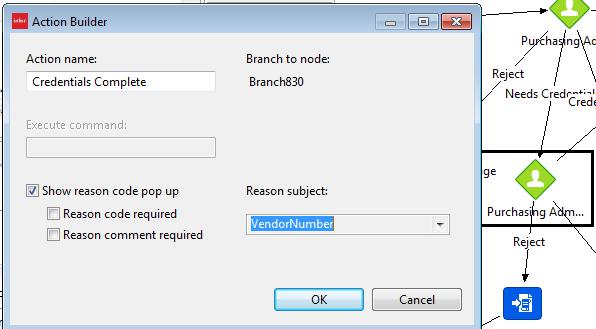
After you add your subject, you can add it as a Reason Subject on the actions for your User action Nodes.
Retiring Lawson, PeopleSoft, or Oracle? APIX archives the entire application — every table, every year, attachments and security included — into your own AWS account in about 30 days, so you can decommission the legacy system and keep full access to the history.

