

User sqlplus with Lawson (Tips and Tricks)
Most of customers have by now switched over to a Windows / SQL server environment, but we still have several customers who have stayed on Oracle for their Database needs. This mostly stems from having the Oracle skill set in-house as there is really no other advantage to staying on Oracle once you have moved over to Windows.
Often when there are troubles with connecting to the application, it is relevant to test the connection the database from the server itself. Of course there are several ways to do this, but test fastest way is to do so directly from the command prompt in LID as it doesn’t require any additional setup or software. But it is easy to forget how this is done so we decided to write this quick article to document this very simple syntax.
The utility we’re going to use is called sqlplus and it should already installed on your LSF application server. Simply login to the server using LID and on the command prompt type in the following command:
sqlplus <username>/<password>@dbserverName
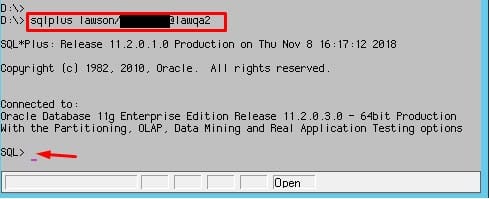
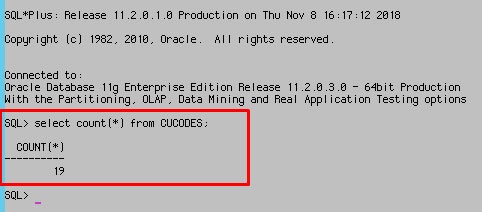
If you have the correct username and password, and the server is responding, you will get a SQL> prompt on which you can run any query you want. Here’s an example:
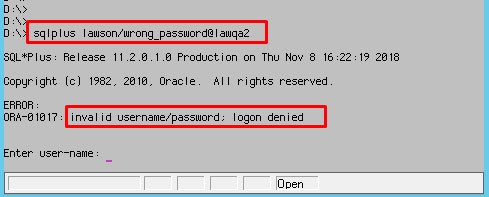
However if you type in the incorrect username:
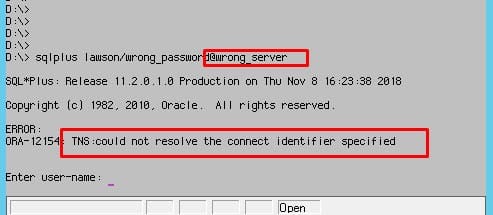
And finally, if you have the incorrect server name or the server is not responding, the prompt will be suspended for several seconds and you will see the following message:
A few small notes about using sqlplus:
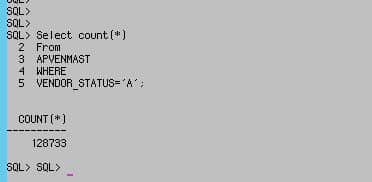
- Be sure to use a semicolon to end your statements. Otherwise the application doesn’t know when to run your query.
- Make sure the environment variable %ORACLE_HOME% is set correctly. ($ORACLE_HOME on Unix):

- To exit sqlplus user the “quit” command
- The SQL buffer contains the last statement you ran, and you can run the previous query again by simply typing “RUN” and hitting enter.
- User the LIST command to see a list of your most recently executed SQL commands.
- “HELP INDEX” shows a list of possible commands
- To launch a sql script simply put the “@” symbol in front of the file name and execute it. like: @script.sql or even @/path/to/script.sql
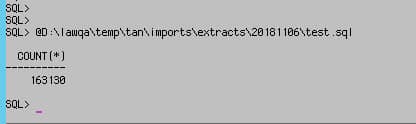
- You can have a multi-line sql statement.
- The “SHOW USER” command prints the name of the Oracle user you’re logged in as
- The “SHOW ALL” command prints all the current settings to the screen.
Retiring Lawson, PeopleSoft, or Oracle? APIX archives the entire application — every table, every year, attachments and security included — into your own AWS account in about 30 days, so you can decommission the legacy system and keep full access to the history.

