
844-NOGALIS (844-664-2547)
Nogalis, Inc.
  • Link to Facebook
  • Link to X
  • Link to LinkedIn
  • Link to Mail
  • Company
    • News, Events and Articles
    • About Us
  • Products
    • Infor Lawson Data Archive
    • PeopleSoft Data Archive
    • Oracle Data Archive
  • Services
    • Infor Lawson Support
    • Infor Lawson / CloudSuite Consulting
  • Education & Training
  • Support
  • Contact Us
  • Click to open the search input field Click to open the search input field Search
  • Menu Menu

Questions to Consider When Selecting a CRM for Your Business

News

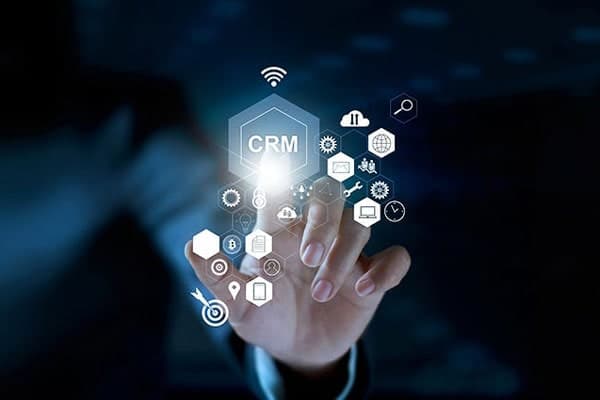
Customer interaction drives almost every decision in your marketing and sales department. Customer relationship management (CRM) software helps to streamline and develop better and long-lasting relationships with customers to ensure a positive experience every time. Selecting a CRM solution can be an extremely difficult task because of all the considerations to take for your company. Solutions Review writer and analyst William Jepma shares a list of questions to ask yourself when considering implementing a CRM system for your business.

  1. What Business Needs Am I Looking to Address? “Figuring out your team’s needs should be the first step to selecting the most appropriate CRM solution to fit your needs.” 
  2. What Are My Budgetary Constraints? “Before beginning your search for a CRM platform, make sure your company has a concrete budget to refer to once you start getting quotes from different vendors in the marketplace.”
  3. Can the CRM Scale Alongside My Organization? “Before purchasing a solution, consider how it can benefit your organization in the present and the future.
  4. How Will the Customer Data be Secured? “Your chosen solution must offer secure data storage to protect your customer privacy.”
  5. Is the Software Easy to Use? “Once implemented, your company will use its CRM every day, so you will need to find a platform that your team can quickly learn to use.” 


For Full Article, Click Here

Retiring Lawson, PeopleSoft, or Oracle? APIX archives the entire application — every table, every year, attachments and security included — into your own AWS account in about 30 days, so you can decommission the legacy system and keep full access to the history.

See how the APIX ERP archive works →

01/12/2022
Share this entry
  • Share on Facebook
  • Share on X
  • Share on WhatsApp
  • Share on LinkedIn
  • Share on Reddit
  • Share by Mail
https://www.nogalis.com/wp-content/uploads/2020/01/CRM-it-tech-software.jpg 400 600 Angeli Menta https://www.nogalis.com/wp-content/uploads/2013/04/logo-with-slogan-good.png Angeli Menta2022-01-12 10:07:242022-01-11 16:24:45Questions to Consider When Selecting a CRM for Your Business

LEGACY ERP DATA ARCHIVE SOLUTION


Discover how our clients are leveraging AWS services to archive their Legacy ERP data and provide ubiquitous access to users via a light-weight, secure, and read-only web interface. Secure, Fast, Reliable, and Cost Effective. That is the promise of APIX. Follow the link below to find out more and book a discovery call with our data archive specialist.

BOOK DEMO

© Copyright - Nogalis, Inc. 2026
  • Legal
  • Privacy
  • Contact Us
Link to: How To Choose An ERP Application Link to: How To Choose An ERP Application How To Choose An ERP Application Link to: Digital health predictions for 2022 Link to: Digital health predictions for 2022 Digital health predictions for 2022
Scroll to top Scroll to top Scroll to top